 BorrowBack
Add the loan
Record the item, who has it, and when it should come back. Type a name or link a contact.
BorrowBack keeps a quiet list of the things you have lent out and when they are due back — so the drill, the book and the camping stove all find their way home.
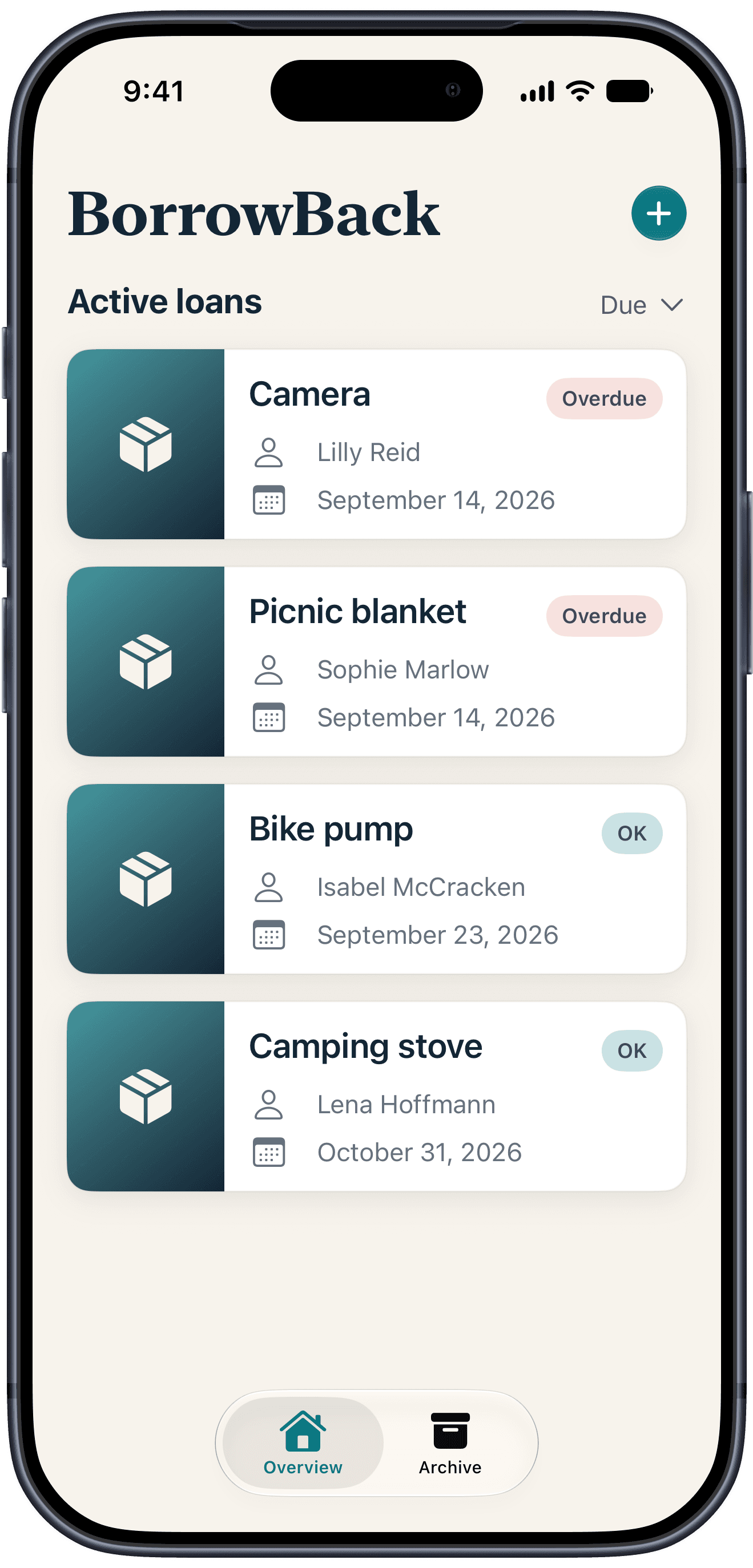
Record the item, who has it, and when it should come back. Type a name or link a contact.
See what is due soon or overdue, then prepare a reminder for a linked contact without retyping the details.
Mark a returned item with a swipe. It moves to the archive and can be restored if the return was recorded by mistake.
Record what you lent, who has it, when it went out, and when you want it back. Type a name or link the borrower from the system contact picker.
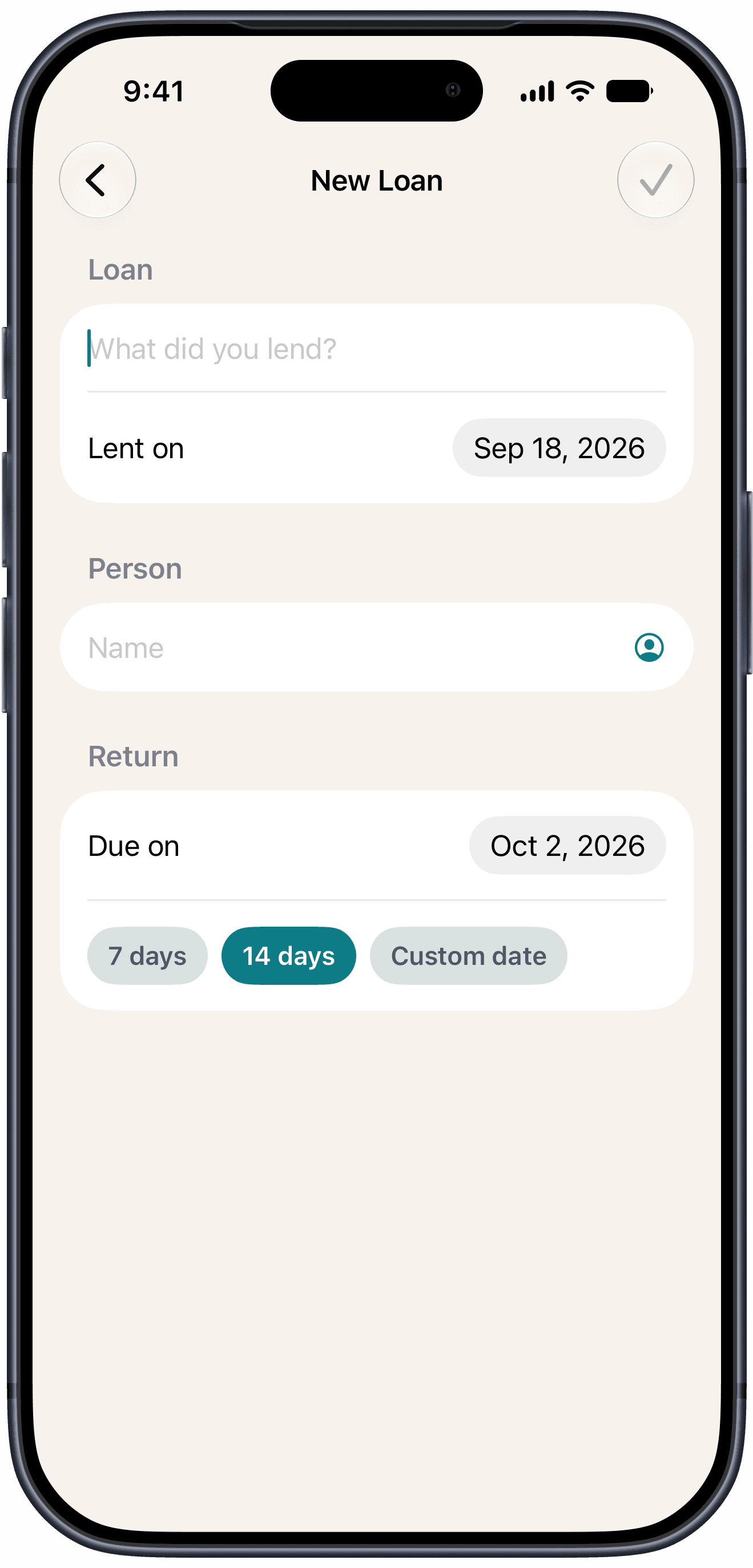
Link a borrower once and BorrowBack can prepare the message when a return date is getting close — or has already passed.
Choose someone with the system contact picker or simply type a name. BorrowBack cannot browse your contacts.
For a linked contact with a phone number, BorrowBack prepares an editable SMS or iMessage with the item and due date.
Nothing is sent automatically. You review and confirm every reminder in the system message composer.
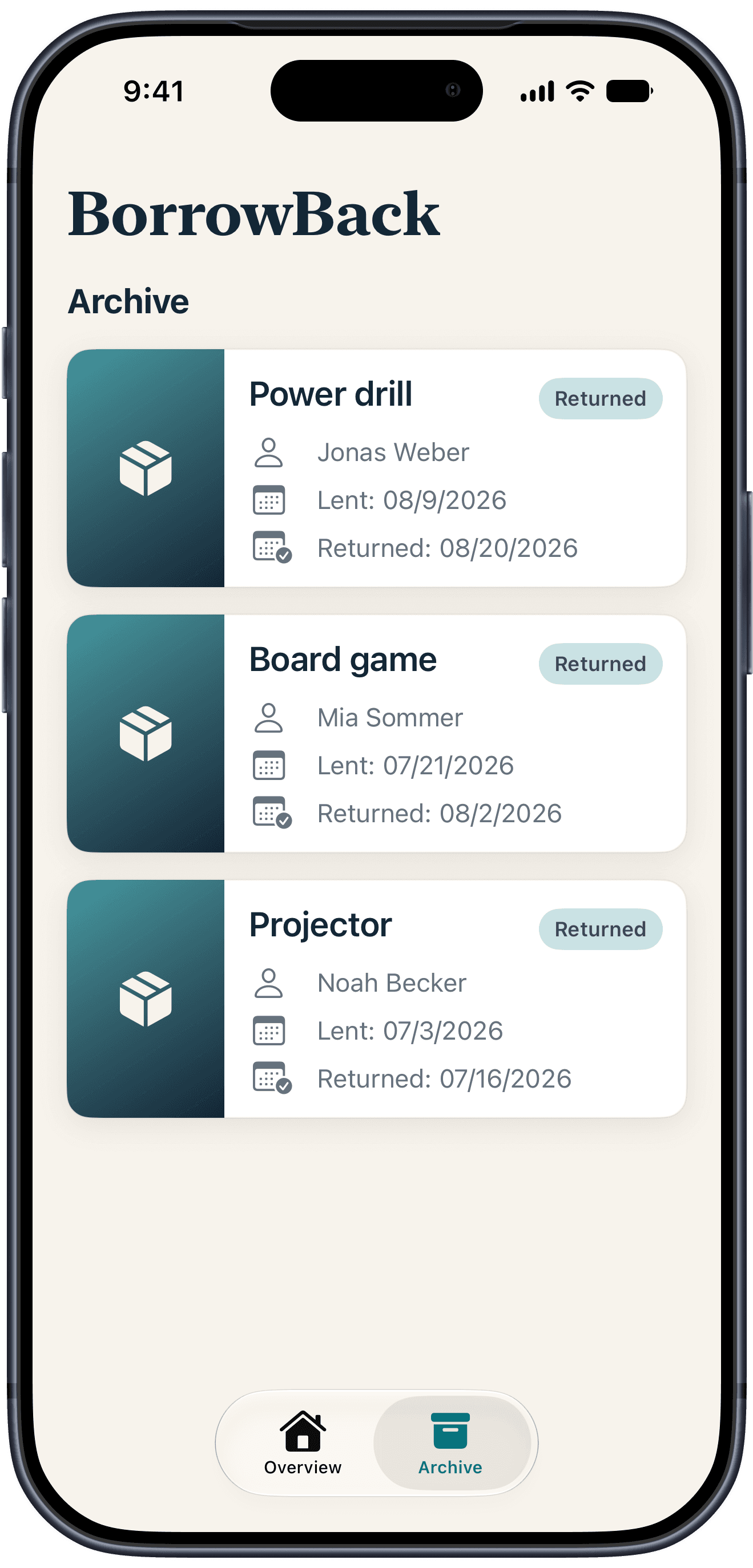
Marking something as returned clears it from your overview but keeps it in the archive, with the date it went out and the date it came back.
BorrowBack is deliberately small. There is no BorrowBack account to create, no advertising profile and no upsell waiting a few screens in.
Your loans stay available on your iPhone and can sync through your private iCloud account. BorrowBack cannot access your records.
No sign-up, no email, no analytics, no profile. Open the app and start.
No subscription, no paywalled features, no ads. The whole app is the free version.
Locally on your iPhone, in the app's own database. When iCloud is available, your loans also sync through your private iCloud account so they stay up to date across your devices. BorrowBack cannot access your records.
Nothing. There is no subscription, no in-app purchase and no advertising. Every feature is available from the moment you install it.
Yes. You can view and change your loans without a network connection. Changes made offline sync through iCloud after you reconnect.
A swipe marks a loan as returned and moves it to the archive, where it stays with its loan and return date in case you need to look it up later.
BorrowBack is a free download for iPhone. No account, no subscription, no reason to think about it again.